
Cubes World: Color Runner2.1.6 - App Store
You'll be able to see results in few seconds.
Publisher Description


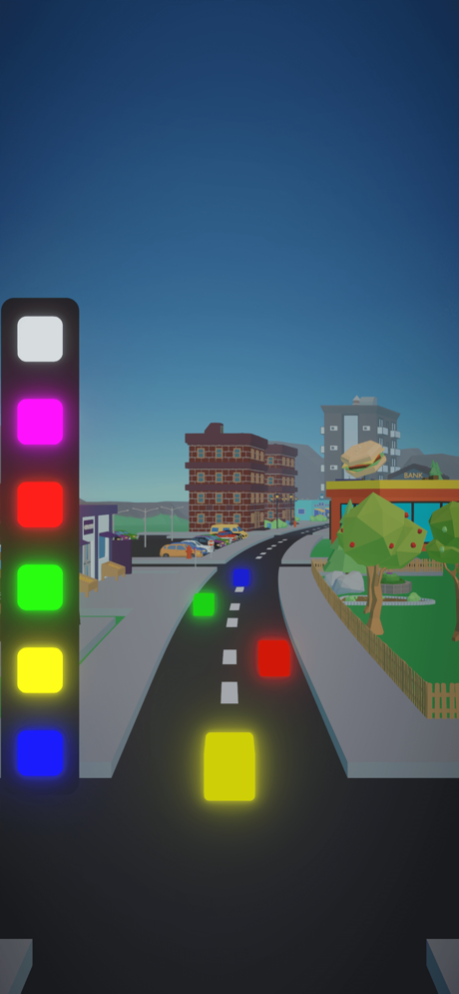
Master the art of color matching in this thrilling endless runner game. Collect cubes, match colors, and race to the top of the leaderboard!
Welcome to Cubes World, the ultimate endless runner game with a twist! Immerse yourself in a vibrant, low-poly world filled with colorful cubes that await your swift reflexes.
In this unique gameplay experience, your task is to collect cubes while matching their vibrant colors. No dodging, no missing – just fast-paced action and endless challenges. Whether you're a casual player or a competitive high-score chaser, Cubes World offers something for everyone.
Key Features:
Endless Color Runner: Run endlessly through a colorful world of cubes.
Unique Gameplay: Match colors in real-time for a one-of-a-kind challenge.
Cube Collection: Collect cubes and test your reflexes.
Colorful Design: Enjoy stunning low-poly graphics.
Offline Play: Play anytime, anywhere, no internet needed.
Left-Handed Support: Comfortable gaming for all.
Download Cubes World now and embark on an exciting journey of speed, color, and endless fun!
Sep 27, 2023
Version 2.1.6
improve gameplay.
performance improvement.
add support for iOS 17.
About Cubes World: Color Runner
The company that develops Cubes World: Color Runner is rafaat ashour. The latest version released by its developer is 2.1.6.
To install Cubes World: Color Runner on your iOS device, just click the green Continue To App button above to start the installation process. The app is listed on our website since 2023-09-27 and was downloaded 0 times. We have already checked if the download link is safe, however for your own protection we recommend that you scan the downloaded app with your antivirus. Your antivirus may detect the Cubes World: Color Runner as malware if the download link is broken.
How to install Cubes World: Color Runner on your iOS device:
- Click on the Continue To App button on our website. This will redirect you to the App Store.
- Once the Cubes World: Color Runner is shown in the iTunes listing of your iOS device, you can start its download and installation. Tap on the GET button to the right of the app to start downloading it.
- If you are not logged-in the iOS appstore app, you'll be prompted for your your Apple ID and/or password.
- After Cubes World: Color Runner is downloaded, you'll see an INSTALL button to the right. Tap on it to start the actual installation of the iOS app.
- Once installation is finished you can tap on the OPEN button to start it. Its icon will also be added to your device home screen.
Program Details
System requirements
Download information
Pricing
Version History
version 2.1.6
posted on 2023-09-27
Sep 27, 2023
Version 2.1.6
improve gameplay.
performance improvement.
add support for iOS 17.
version 2.1.5
posted on 2023-08-20
Aug 20, 2023
Version 2.1.5
general improvement.
optimize in-game ads.
version 2.1.4
posted on 2023-07-25
Jul 25, 2023
Version 2.1.4
performance improvement.
version 2.1.3
posted on 2023-07-04
Jul 4, 2023
Version 2.1.3
performance improvement.
Disclaimer
Official App Store Link
We do not host Cubes World: Color Runner on our servers. We did not scan it for viruses, adware, spyware or other type of malware. This app is hosted by Apple and passed their terms and conditions to be listed there. We recommend caution when installing it.
The App Store link for Cubes World: Color Runner is provided to you by apps112.com without any warranties, representations or guarantees of any kind, so access it at your own risk.
If you have questions regarding this particular app contact the publisher directly. For questions about the functionalities of apps112.com contact us.
